Remote inspection software

Use XMReality's remote inspection software to see what customers see and document everything - just like being on-site!

Namnlös design (1)

How remote inspections works

Connect

Create a link and send it to the customer who is on-site for the inspection. The call is initiated as soon as the person taps on the link on their phone. No download or account creation is required.

Connect

Inspect

When the call is connected, you see what that person sees in a shared video stream. You have several powerful guiding features in the call to help you guide and inspect remotely.
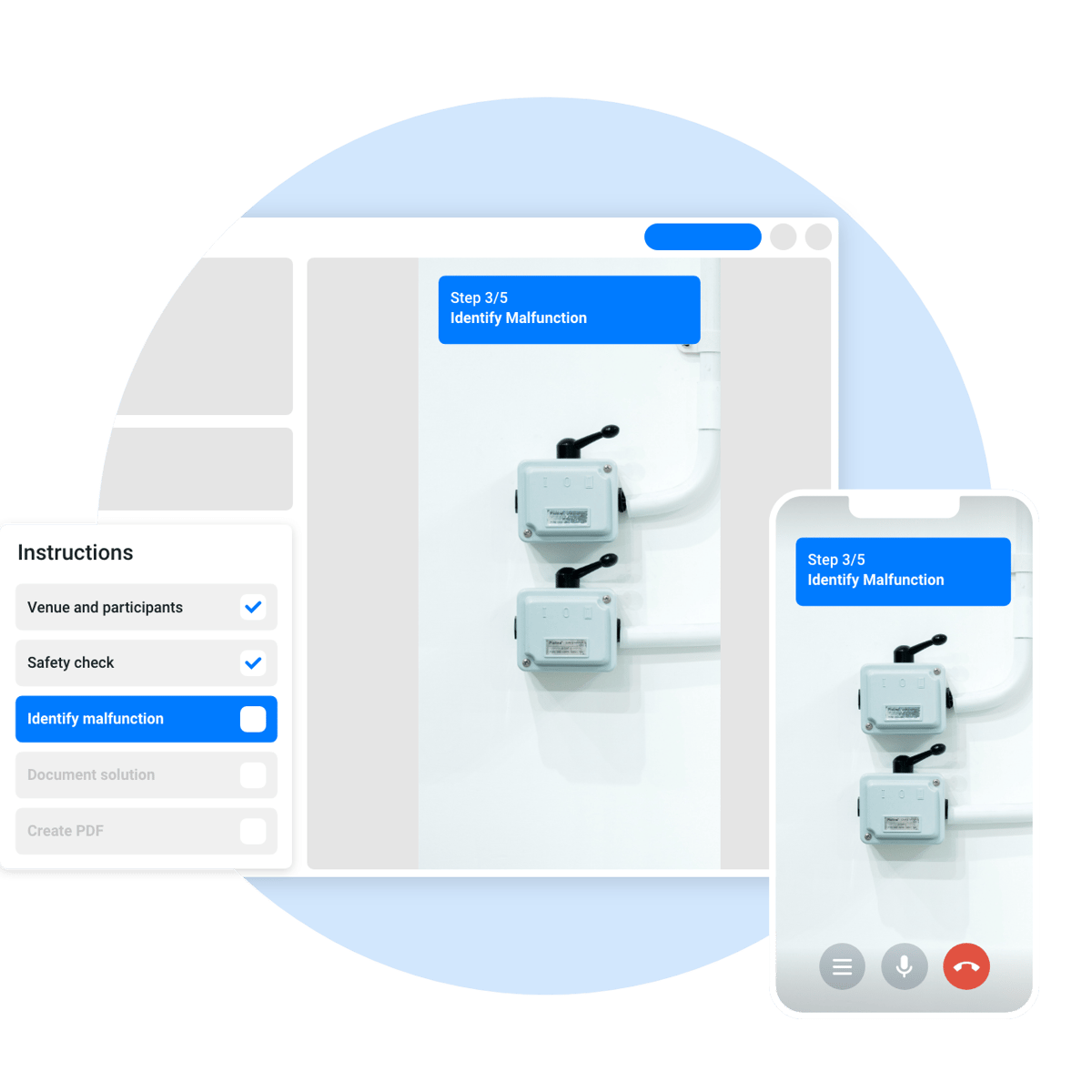
02 Create and use workflows - 2

Document

After each call, we automatically generate a PDF where all snapshots and notes are saved. Ensuring easy documentation of the call that is ready to be shared.
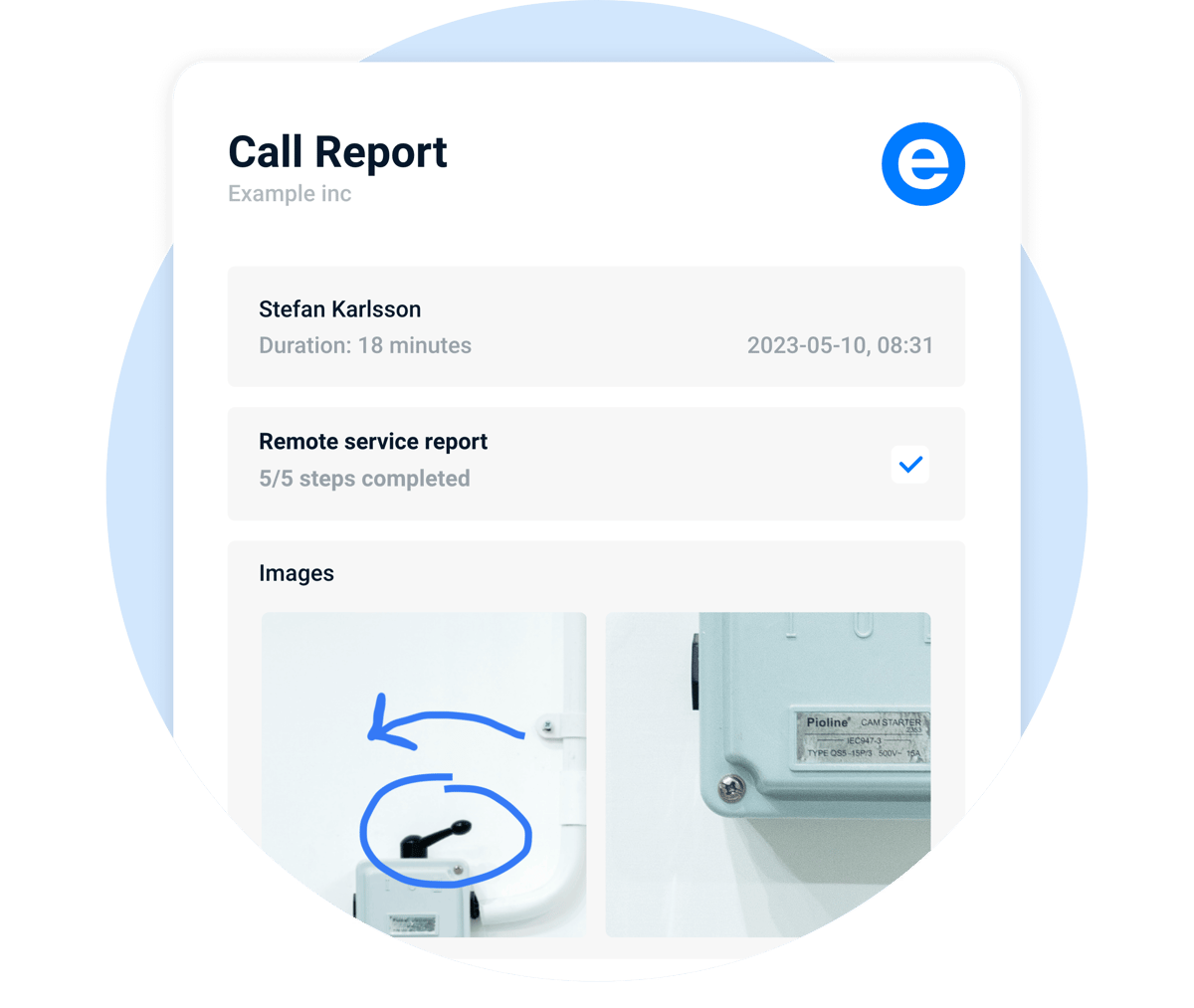

03 Review and share documentation - new
Connect
02 Create and use workflows - 2
03 Review and share documentation - new

The most important thing for our own customers is that their problems get solved as quickly as possible, and XMReality has helped us to do that better.

Joris Van De Walle Service responsible for EMEA, Esko

Through previous experience, the project team at XMReality gave clear guidance on how best to utilise the software, supporting us in the identification of potential benefits and driving the adoption of new services to both customers and employees.

Matt Thomas Customer Experience Programme Manager

XMReality has saved us hundreds of truck rollouts this year. Its intuitive and the live annotations make complicated instructions easy to understand.

Alexander Geist Remote Services Manager, Novatech

Showing is better than telling

Start a 14-day free trial of XMReality, no strings attached. You'll be ready to make your first call straight from your desk within five minutes of signing up. That's how easy it is.

Why do virtual inspections with XMReality?

Easy to use software

Get straight to business with user-friendly software. It's so easy anyone can use it - and love it.

Great compliance

Our software is designed to generate full call documentation with just a click.

Delighted customers

Make it fast and flexible. Who doesn't love a quick and hassle-free inspection?

Virtual inspection features

Video Recording

Record the entire call, or just parts of it, to use for documentation.

High-quality pause

Freeze the video and get a highly detailed image, even on a bad network.

Schedule calls

Schedule calls in advance and integrate with Outlook for a seamless experience.

Step-by-step instructions

Perform tasks with consistency and guarantee compliance by following pre-defined instruction sets

Zoom

Inspect details in high quality with integrated zoom, both locally and remotely.

Call history

All call content is saved when using our desktop apps so you always can retrieve past call data.

It's easy to get started

We keep things simple. Remote video support from XMReality is powerful, without the complicated. 

No big implementation project

The software is ready to use immediately upon purchase. No technical implementation is required, simply log in through your browser and begin making calls.

Works on your existing devices

Your support team can run our software straight from their computer and connect with any customer who has a smartphone with an internet connection.

Easy for you and your customers

Connect with customers by just sending a link with an SMS or in a chat. They click the link and the call is started, providing a smooth support experience.