
XMReality Blog

XMReality - A Product Overview

<span id="hs_cos_wrapper_name" class="hs_cos_wrapper hs_cos_wrapper_meta_field hs_cos_wrapper_type_text" style="" data-hs-cos-general-type="meta_field" data-hs-cos-type="text" >XMReality - A Product Overview</span>

XMReality is the remote visual assistance solution built to solve real-world problems fast from remote. By extending the reach of experts, you let them guide and support people in the field by showing them exactly what to do and how to do it. 

Our advanced video solution leverages augmented reality to maximize your internal expertise, upskill your workforce, and improve your bottom line.

In this post, we’ll break down what makes our solution unique, highlight our newest features, and help you decide which product plan fits your team best.

Why is XMReality Unique?

Most collaboration tools, like Teams or WhatsApp, connect people to people for conversation. XMReality connects people to problems for resolution.

We are a device-agnostic platform that lets you connect with anyone, anywhere, just by sending a link. There are no app downloads required for the guest: if they have a browser, they have XMReality. We prioritize speed: you can go from "I have a problem" to "I see what you mean" in seconds.

Plus, we’ve made setup incredibly simple. You can make your purchase and start your first guided call on the very same day.

How secure is XMReality?

Security isn't an afterthought, it's XMRealitys foundation. The product is built from the ground up to ensure your data stays yours. We are GDPR compliant, ISO27001 certified, and all calls are End-to-End encrypted.

When it comes to documenting your calls, we believe in giving you choices that fits your IT policy. You can store sensitive content locally on your device, link it to your own Microsoft OneDrive, or utilize our Managed Cloud Storage.

With Managed Cloud Storage, your images and video recordings are stored centrally on XMReality’s secure infrastructure. Data is encrypted in transit and at rest, ensuring that whether you store your data with us or keep it on-premise, it is in safe hands.

Key Features & Functions

Here are the features our users rely on to boost efficiency and cut down on unnecessary travel:

  • Call Links: Zero friction. Send a link via SMS or email, and your guest connects instantly via their browser. No logins, no downloads.
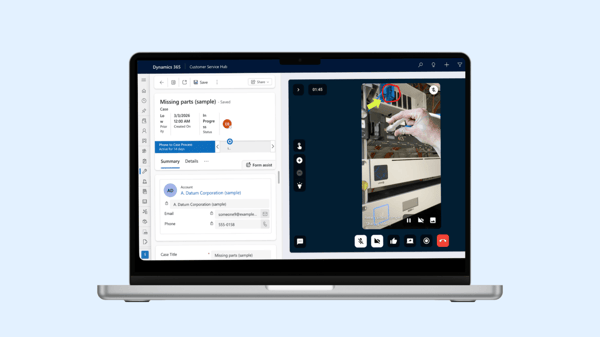
  • Automated Documentation: Use AI-transcription, high-quality snapshots, record sessions, and generate automated PDF reports to create a clear audit trail and build your internal knowledge base.
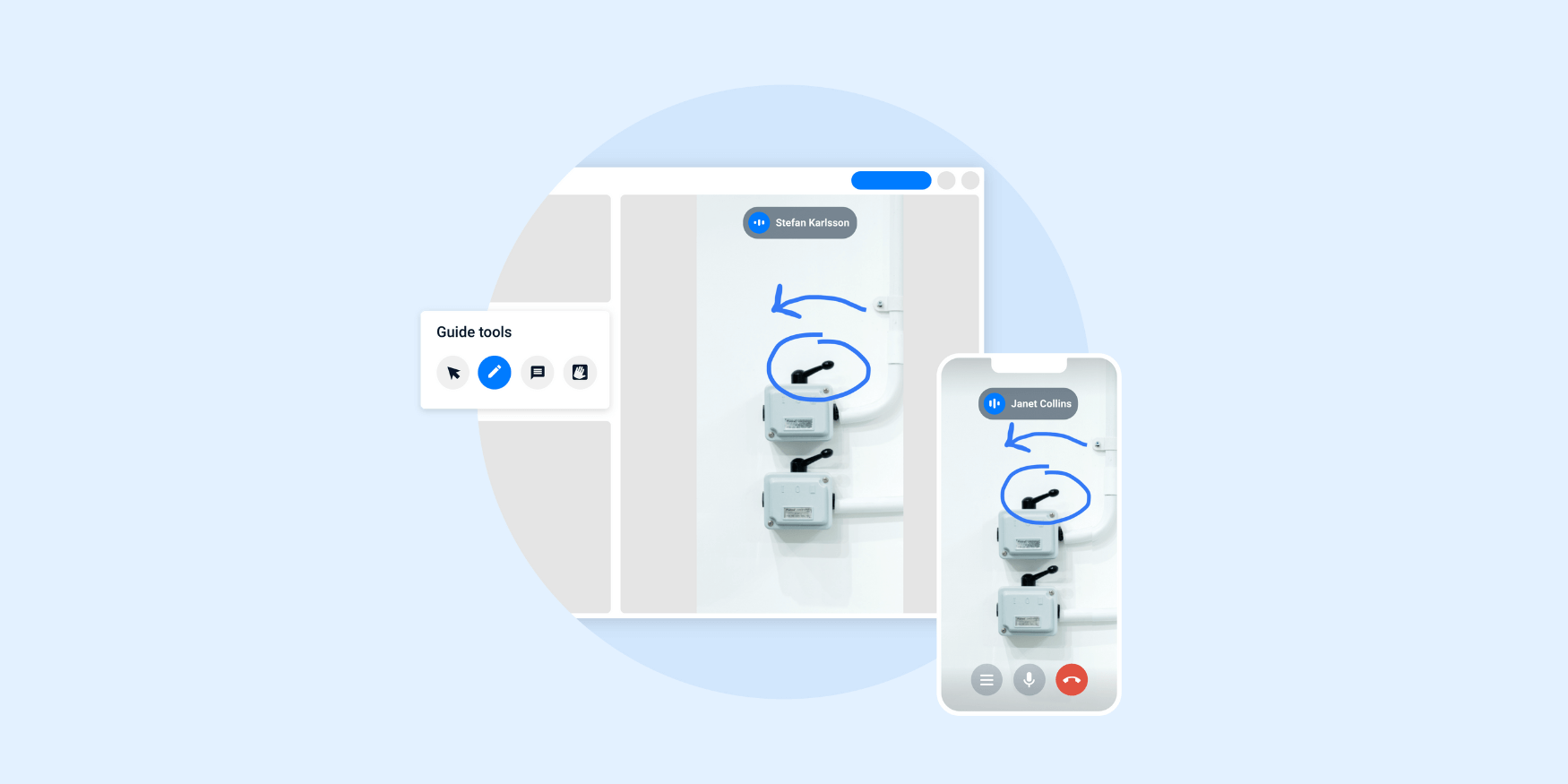
  • Hands Overlay: Show, don’t just tell. Virtually overlay your hands on the video feed to demonstrate gestures or manipulate items. It’s the most intuitive way to navigate tricky repairs.


  • Flexible Storage Options : Your data, your choice. We offer complete flexibility to suit your IT policies, allowing you to store data locally on your device, in your own Microsoft OneDrive, or securely in our Managed Cloud.
  • Drawing & Pointing: Use real-time pointers to highlight areas of interest, or add annotations and text labels for detailed documentation.
  • Smart Glasses Support: Sometimes you need both hands to fix the problem. Our extensive support for smart glasses allows for true hands-free remote assistance.

Understanding the different XMReality plans 

We offer three distinct plans: Basic, Professional, and Enterprise. Here is a breakdown of the most important aspects so you can find your perfect fit. You can also check out our Pricing page for a more detailed comparison.

Basic

The essentials for small teams (Max 5 Users).

Basic is perfect for smaller teams that need powerful visual assistance tools but have limited documentation needs. You get unlimited calls and our core guiding tools to solve problems quickly.

  • Usage: Up to 5 users.

  • Storage: Local device storage only.

  • Payment: Easy online payment (monthly or yearly) via credit card.

Professional

The standard for growing teams (Max 20 Users).

Professional is designed for teams that need to work together and keep records of their work. It unlocks group calls (up to 5 participants), custom branding (your logo, your colors), AI-powered transcription, and automated PDF reports.

  • Usage: Up to 20 users

  • Storage: Seamless XMReality Managed Cloud Storage with 10 GB storage per user included for free. There is also the option of local device storage.
  • Payment: Easy online payment (monthly or yearly) via credit card.

Enterprise

Tailored solutions for large-scale operations (Unlimited Users).

Enterprise is the comprehensive solution for organizations requiring scalability and full administrative control. It includes everything in Professional, upgraded with Single Sign-On (SSO), large group calls, and deep integrations with tools like Salesforce and Teams. You also gain access to premium capabilities such as custom APIs, full branding, and dedicated professional services—including project management and customized onboarding.

  • Usage: Unlimited users.

  • Storage: Flexible options: Managed Cloud Storage (add-on), OneDrive, or local storage.

  • Payment: Custom quote (invoiced annually).

Since Enterprise is tailored to your specific scale, it requires a custom quote. If you need advanced integrations or large-scale deployment, scheduling a walkthrough with our product experts is the best next step.

Premium Support Enterprise comes with a dedicated customer success manager to assist with onboarding, training, and implementation across multiple sites.

Let’s talk about what XMReality can do for you. See the platform in action and get tailored insights on how it can benefit  your organization. Book a demo

Published