Technical helpdesk using XMReality video support

Support and helpdesk

Resolve issues in seconds, not hours.

Equip your technical helpdesk with the power of sight. See what your customers or field technicians see instantly - no downloads, no logins, just faster problem solving.

Long phone calls, misunderstandings, and unnecessary site visits. Technical support struggles when they can’t see the issue firsthand. 

XMReality empowers technical support teams to inspect and fix hardware, machinery, and physical equipment remotely using real-time video and powerful collaboration tools.

  • Solve the problem from remote

  • Diagnose issues to ensure a first-time fix

  • Eliminate unnecessary site visits

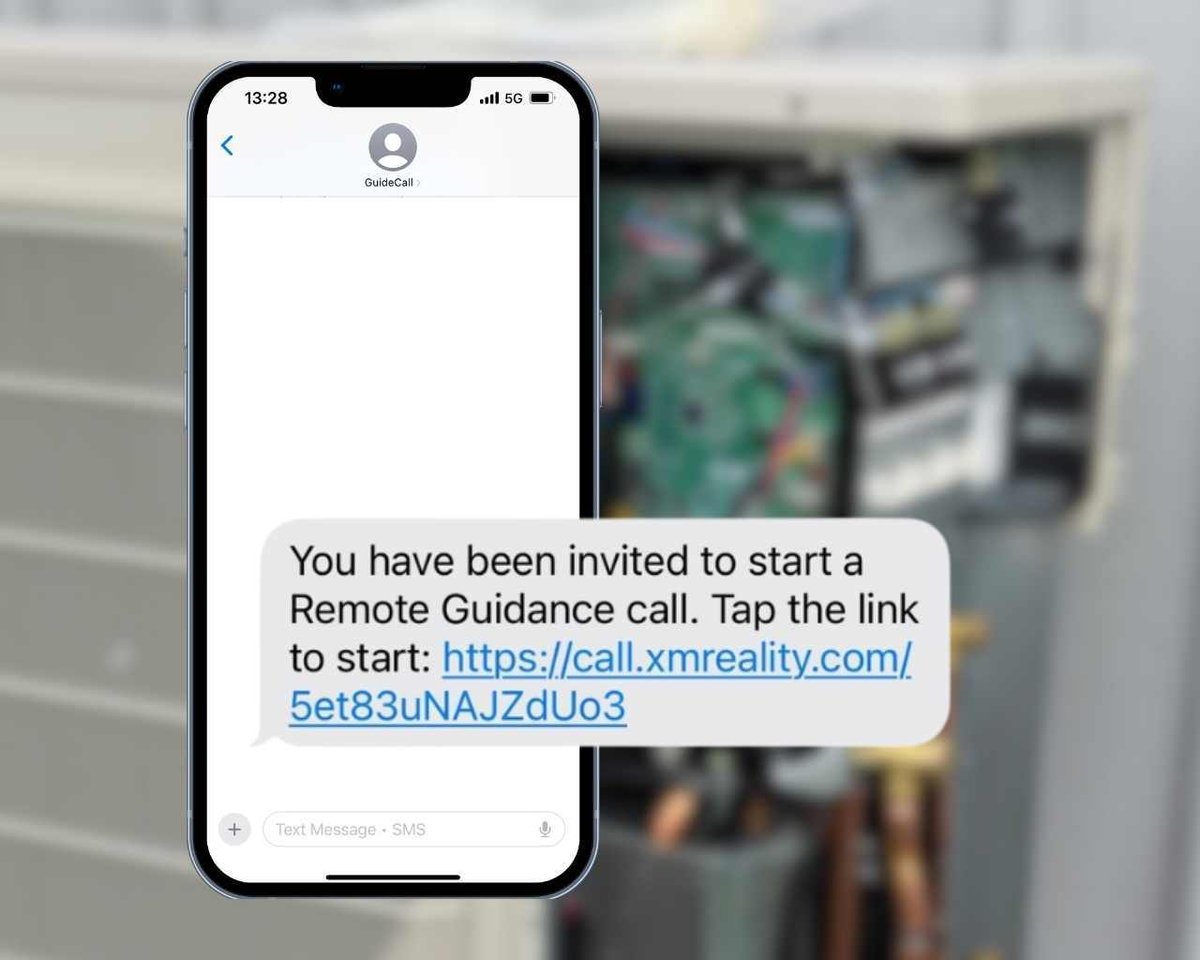
Connect to anyone instantly with just a text message

Connect to anyone instantly with just a text message

Asking customers to download an app often stops the support process before it even starts.

XMReality works via a simple text or WhatsApp message. The customer clicks the link, and the browser opens the camera and initiates the call immediately. No login, no installation, and no account creation is required for the person receiving help.
Powerful features for better collaboration

Powerful features for better collaboration

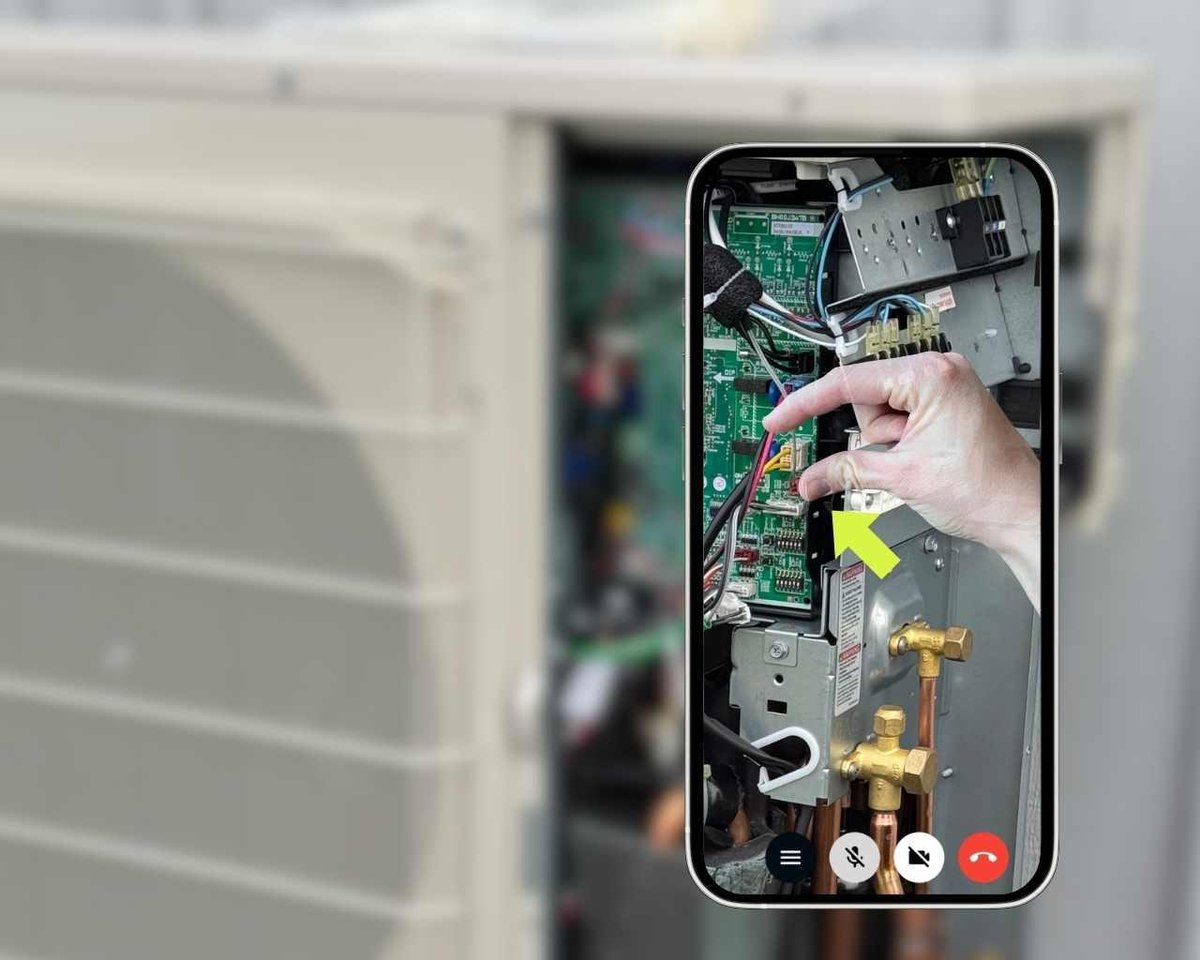
XMReality is more than just a video tool. Use the AR-feature to guide with your own hands.

Pause the video to highlight and zoom in on details. Annotate and share images while recording, taking snapshots, and writing notes. Download all call documentation including AI-generated transcription with one click.
 

Data to help you improve you business

Data to help you improve you business

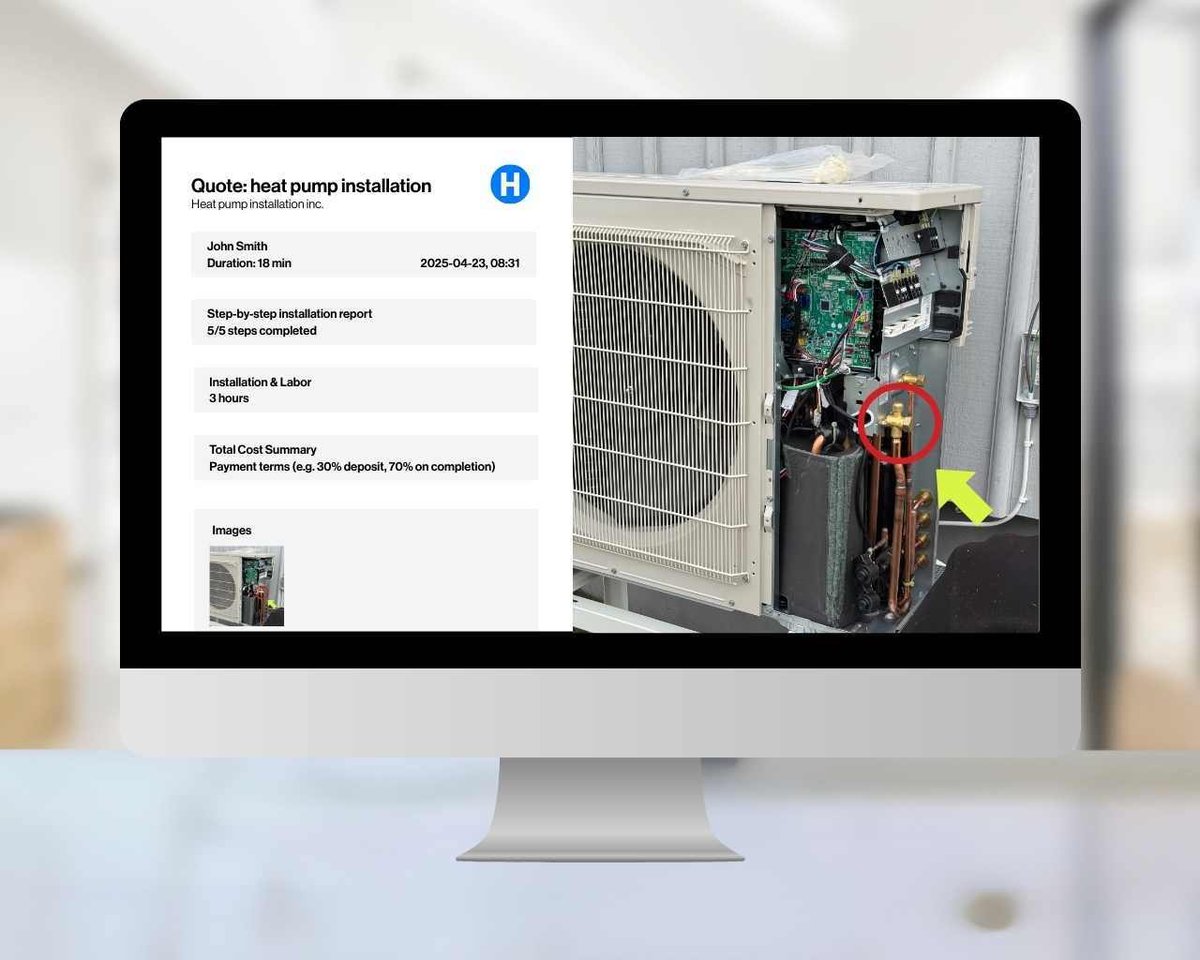
With XMReality, every support call turns into a valuable, fully documented case, automatically.

Snapshots, notes, and transcripts are captured without any extra effort, building a growing library of proven solutions. Your team gains smarter routines, consistent best practices, and faster resolutions.

 

Features for technical helpdesk

Instant calling from any device: no downloads, no sign-ups

Zoom in on details for high quality inspections

Live pointers and detailed annotations

Freeze video and seamlessly get a high-quality image

Invite up to 20 experts without additional licenses

Complete PDF report at the end of call with all call details

Frequently Asked Questions

Does the end-user need to download an app to receive support?

No. The person receiving support does not need to download an app or have a XMReality license. You just send them a link, and the call opens directly in their mobile browser without any downloads or logins needed.

Why should I pay for XMReality when I can use Teams or FaceTime for free?

While free apps are designed for talking, XMReality is purpose-built for solving physical problems. It offers critical features that standard video apps lack:

  • Instant access: Connect immediately via SMS link. No app downloads or logins required for your guest.
  • Built for collaboration: With enhanced guide features, from hands overlay to annotations and pointers, you can show rather then tell your customer or colleague how to solve a problem.
  • Works in bad conditions: Optimized to provide clear images and instructions even with poor internet connection.
  • Automated documentation: Automatically tracks calls and generates PDF reports for immiediate documentation.

Read full comparison

How does XMReality handle poor internet connectivity or low bandwidth?

XMReality is optimized for challenging environments. If bandwidth drops, the software automatically adjusts video quality to prioritize audio and connection stability, ensuring you can still guide the technician.

XMReality also has a patented feature, High Quality pause, that sends a crystal-clear photo you can draw on, so you can keep guiding them even with a poor signal. Read more about how XMReality operates during low bandwidth.

Can I integrate XMReality with our current ticketing system or CRM?

Yes. XMReality provides ready-made integrations for Salesforce Service Cloud, Microsoft Outlook, Microsoft OneDrive and Microsoft Teams. Single Sign On (SSO) is available to make it easy for users and administrators to sign in with existing enterprise credentials.

All product functionality is available through APIs, which are available to all Enterprise customers. As a Professional or Enterprise user, you can also build your own custom no-code integrations via Zapier, connecting XMReality to over 7,000 other apps.

More about integrations

How does XMReality help us reduce truck rolls and unnecessary site visits?

XMReality reduces the need for physical site in two key ways:

  1. Resolving issues remotely: Technicians can diagnose and guide customers to a resolution directly over the video call, often eliminating the need for a truck roll entirely. 
  2. Improving first-time fix rates: When a site visit is unavoidable, the remote video assessment ensures the technician arrives fully aware of the problem and equipped with the right parts and tools. This prevents wasted trips caused by "No Fault Found" dispatches or the need for return visits due to missing equipment.

How do XMReality ensure security and GDPR compliance?

All data is encrypted both in transit and at rest. Our cloud infrastructure and processes are fully compliant with GDPR regulations and certified under the ISO 27001 information security standard.

Your data is stored securely and centrally on XMReality’s managed cloud infrastructure. If needed, you can even set up XMReality to only stored data locally on your device, or on your own Microsoft OneDrive account.

Plug in with your favorite systems

Integration

Salesforce Service Cloud

Salesforce Service Cloud

Launch calls from Salesforce and seamlessly capture call outcomes directly in Salesforce cases.

Download

Integration

Microsoft Teams

Microsoft Teams

Create, send or share XMReality call links directly from your Teams chat or meeting.

Download

Integration

Microsoft OneDrive

Microsoft OneDrive

Keep your snapshots and recordings secure with automatic cloud storage sync to OneDrive.

Login to activate

Integration

Custom integrations

Custom integrations

Create custom built integrations with options ranging from no-code solutions to fully customizable APIs.

Read more

Step-by-step instructions

Get it right, every time

Step-by-step instructions

Standardize your remote support and eliminate guesswork. Use our Step-by-Step Instructions to push customizable checklists to the user’s view during a call. It’s a powerful tool for maintaining quality control while offering your customers crystal-clear visual guidance.

Custom Branding

Your brand, every step of the way

Use branding to make a professional impression

With XMReality, you can customize the branding and design so your customers feel trust in every interaction. Add your logo and make your own text adaptations both before and after a call.