Validate quality from anywhere
Eliminate travel costs without sacrificing oversight. Conduct rigorous Remote Visual Inspections (RVI) and Factory Acceptance Tests (FATs) with XMReality.


Eliminate travel costs without sacrificing oversight. Conduct rigorous Remote Visual Inspections (RVI) and Factory Acceptance Tests (FATs) with XMReality.






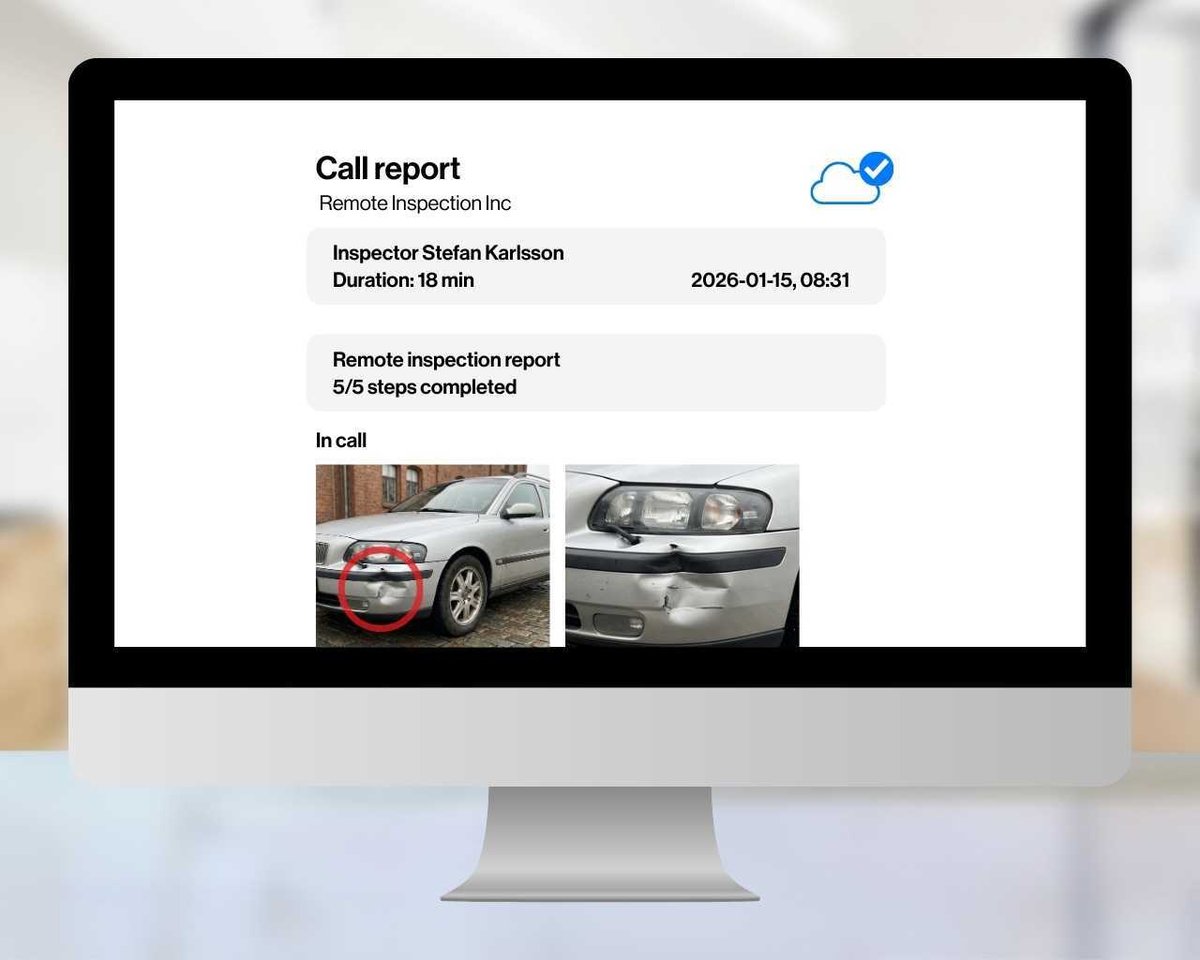
With just one click, receive a comprehensive PDF report containing all your notes, snapshots, and annotations. Rely on secure central storage for guaranteed long-term access.
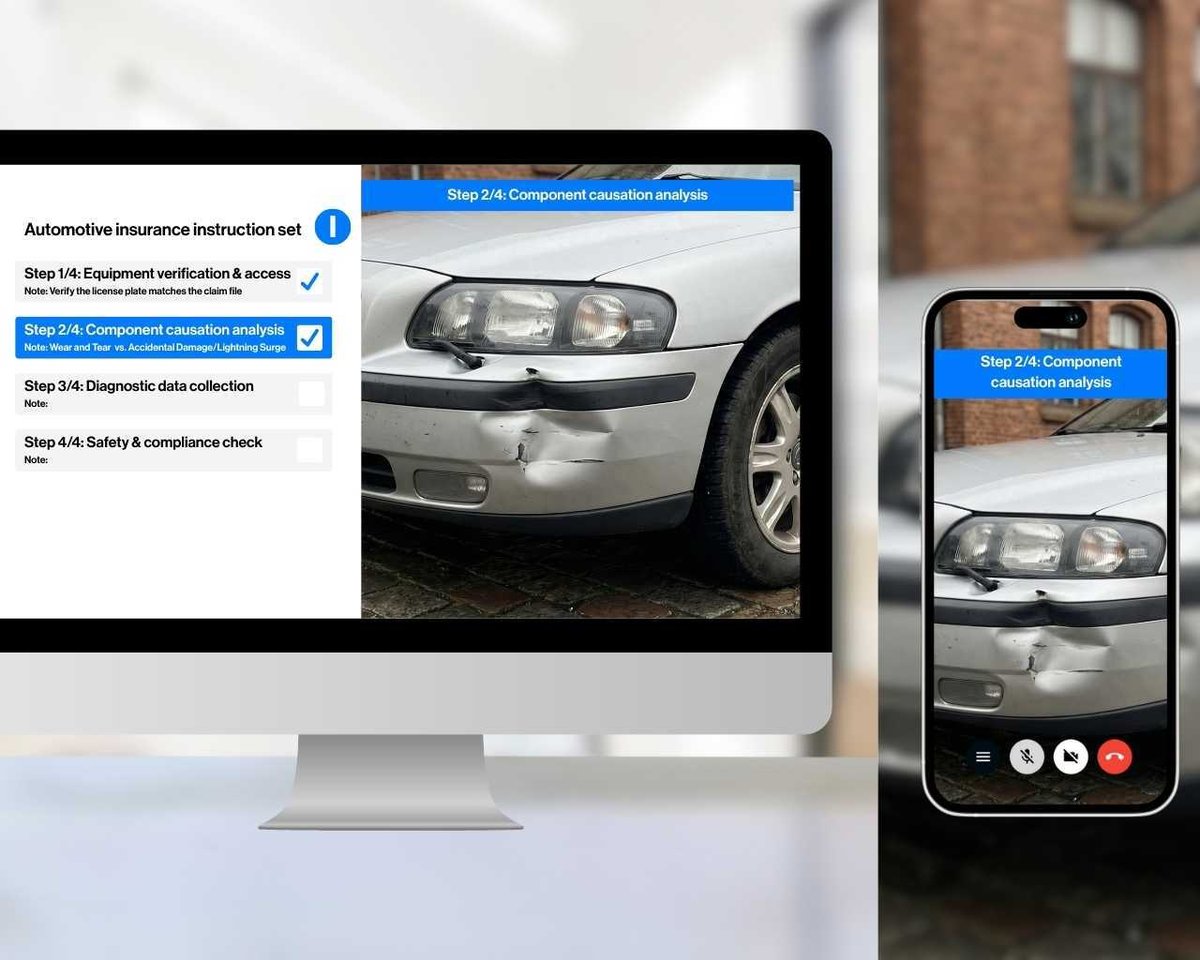
Use your own standard operating procedures during the call, ensuring tasks are carried out with consistency and high quality. This guarantees no step is forgotten, such as documenting a serial number or photographing a non-conformity.
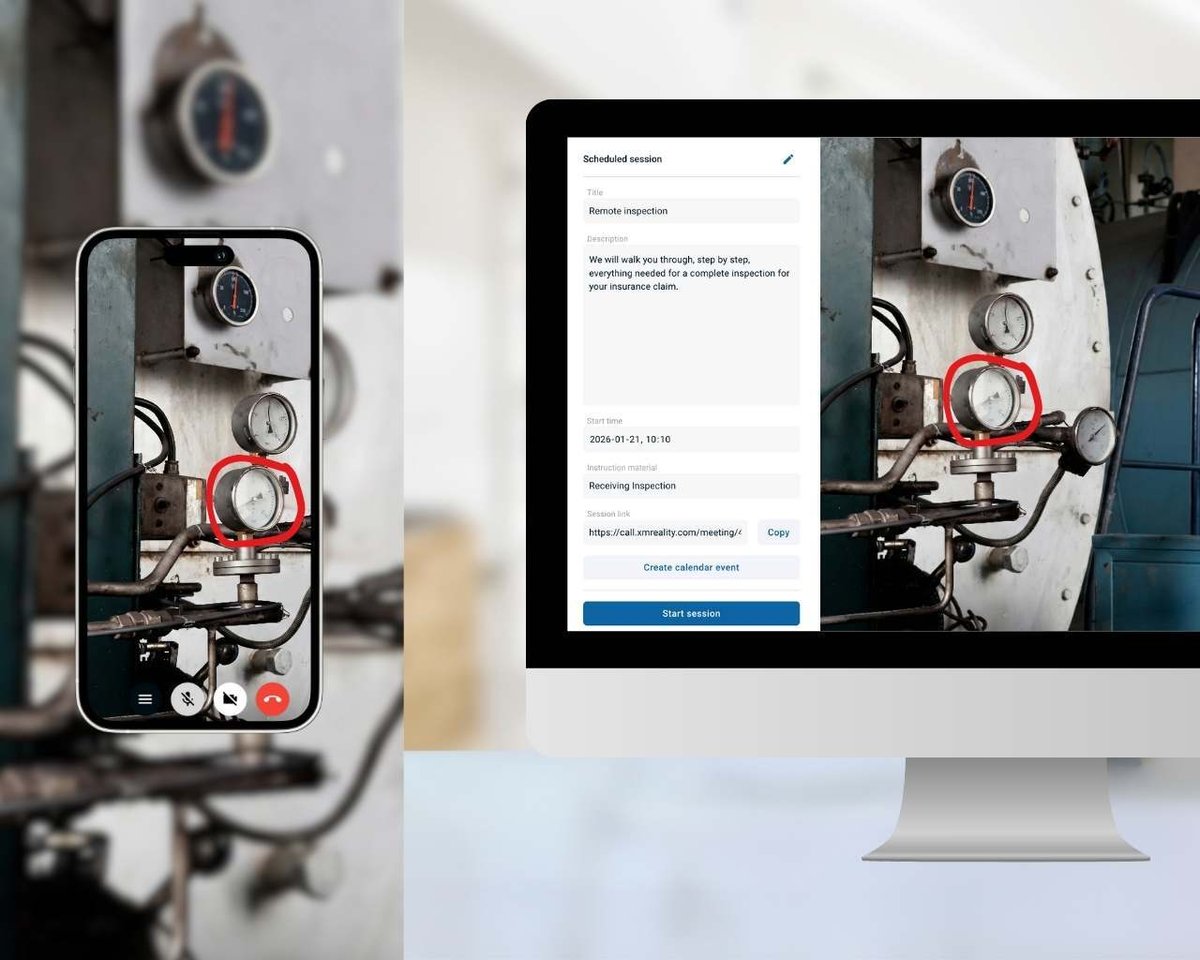
Capture every detail with tools designed for precision inspections. Freeze live video to get high-quality snapshots instantly, or zoom in to inspect the finest elements. Guide your team effortlessly using live pointers, annotations, and our unique AR Hand Overlay for truly intuitive collaboration.

XMReality has saved us hundreds of truck rollouts this year. Its intuitive and the live annotations make complicated instructions easy to understand.
SMART GLASSES
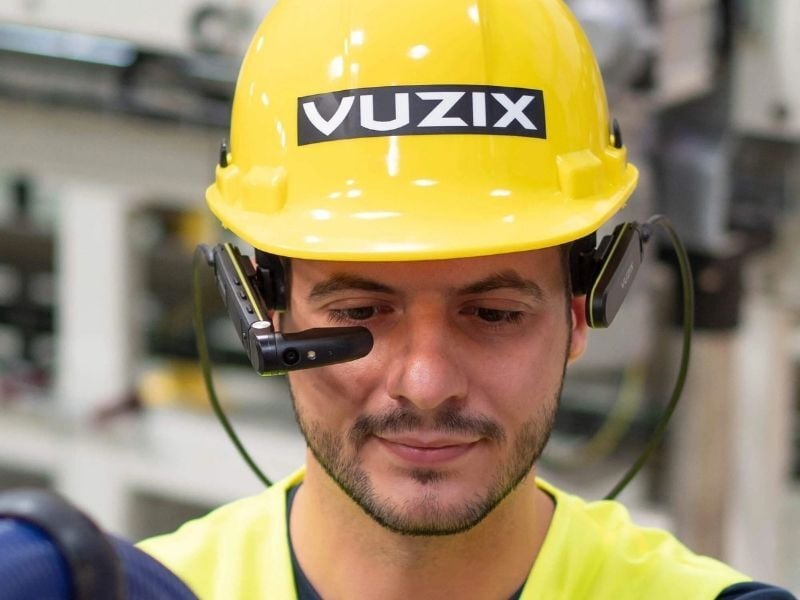
Use smart glasses for a more comfortable and intuitive remote inspection. Ideal when being on-site and needing to do longer calls with a remote colleague.
XMReality works on the market's most popular smart glasses models, so you can pick the model that suits you best.
data security

No need to fear that your data gets into the wrong hands. Calls are end-to-end encrypted and XMReality is both GDPR compliant and ISO27001 certified.
All content created, including images, recordings, and pdf:s are stored according to your preference: automatically to our secure cloud storage, locally on your device or to you integrated OneDrive account.
Integration

Launch calls from Salesforce and capture call documentation in cases and work orders.
Integration

Schedule in advance with a standard meeting invite in Outlook.
Integration

Keep your snapshots and recordings secure with automatic cloud storage sync to OneDrive.
Integration

Integrate with simple no-code Zapier automations or powerful custom builds with embeddable components and APIs.